
Reviewed September 27, 2026. PAMA AI is an AI comic production workspace for turning a script or story idea into scenes, recurring characters, storyboard frames, motion clips, and sound. The clearest reason to use it is the connected workflow: the script, cast, locations, individual shots, and generation status live in one project instead of separate prompt windows.
Our verdict: PAMA is worth trying if you are making a multi-scene comic, moving storyboard, or short visual story and want to direct individual shots. It is more involved than a one-prompt video tool, and the credit cost of a finished sequence depends on the models and settings you choose. For a single quick clip, a simpler generator may be faster.
Disclosure and method: Tool.Video publishes this review and also offers AI video tools. We inspected PAMA's live public site and a signed-in Studio account on September 27, 2026. The homepage screenshot below was captured that day. The two workbench screenshots come from PAMA product testing in August 2026; they show real interfaces and test projects, but some labels and layout have changed. We did not run a fresh paid, end-to-end generation for this review, so we do not claim a measured success rate, render time, or image quality score.
What is PAMA AI?
PAMA AI describes itself as an AI comic generator. Its main creation path starts with a script or story idea, analyzes that material into scenes, and lets the creator build a consistent visual world before producing frames and motion. The live homepage offers three paths—AI Comic, AI Video, and AI Live—while the signed-in Studio exposes separate areas for sequences, images, videos, styles, talent, locations, gallery, models, and workspaces.
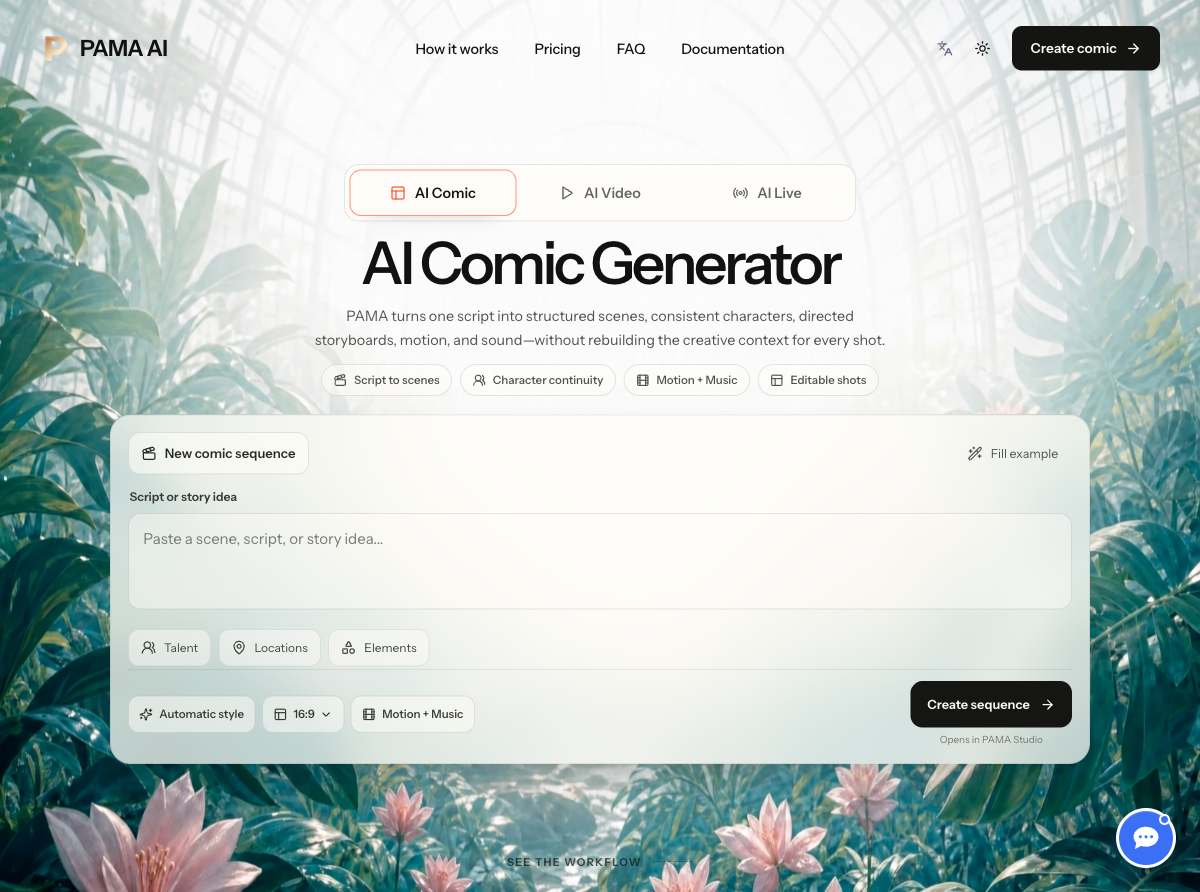
Live PAMA AI homepage captured September 27, 2026. The composer accepts a story idea and links into the Studio; this is the entry screen, not a generated result.
The distinction matters. An image generator can give you a good isolated frame. PAMA's pitch is that the frame belongs to a scene, the scene belongs to a sequence, and the same character and location definitions can be reused throughout. That structure is most relevant when visual continuity matters over several shots.
Our hands-on workflow: from script to shot
On the live site, the homepage composer accepts text and offers controls for talent, locations, elements, automatic style, aspect ratio, and motion with music. Clicking into Studio presents a more detailed comic composer. In the account we inspected, we could see a custom production path, generation settings, a script field, style choices, and a Generate button that remains disabled until a valid script is supplied. A separate first-film offer was displayed but disabled in that account; eligibility should not be assumed for every user.
The practical sequence is:
- Write or paste the story. Start with an idea, narration, or script. PAMA's public workflow says its analysis identifies scenes, cast, recurring locations, dialogue, camera direction, mood, and approximate duration.
- Review the plan. The project keeps script analysis, characters, locations, and scene beats together. This is where a creator can correct the plan before paying to generate multiple images.
- Direct individual frames. The workbench exposes a scene's story beat, visual prompt, cast, location, and generation controls. Generate or revise one frame without discarding the whole project.
- Add motion and sound. An approved image can become the anchor for a short motion clip. Music and final export are part of the broader comic workflow, with costs that vary by selected production settings.
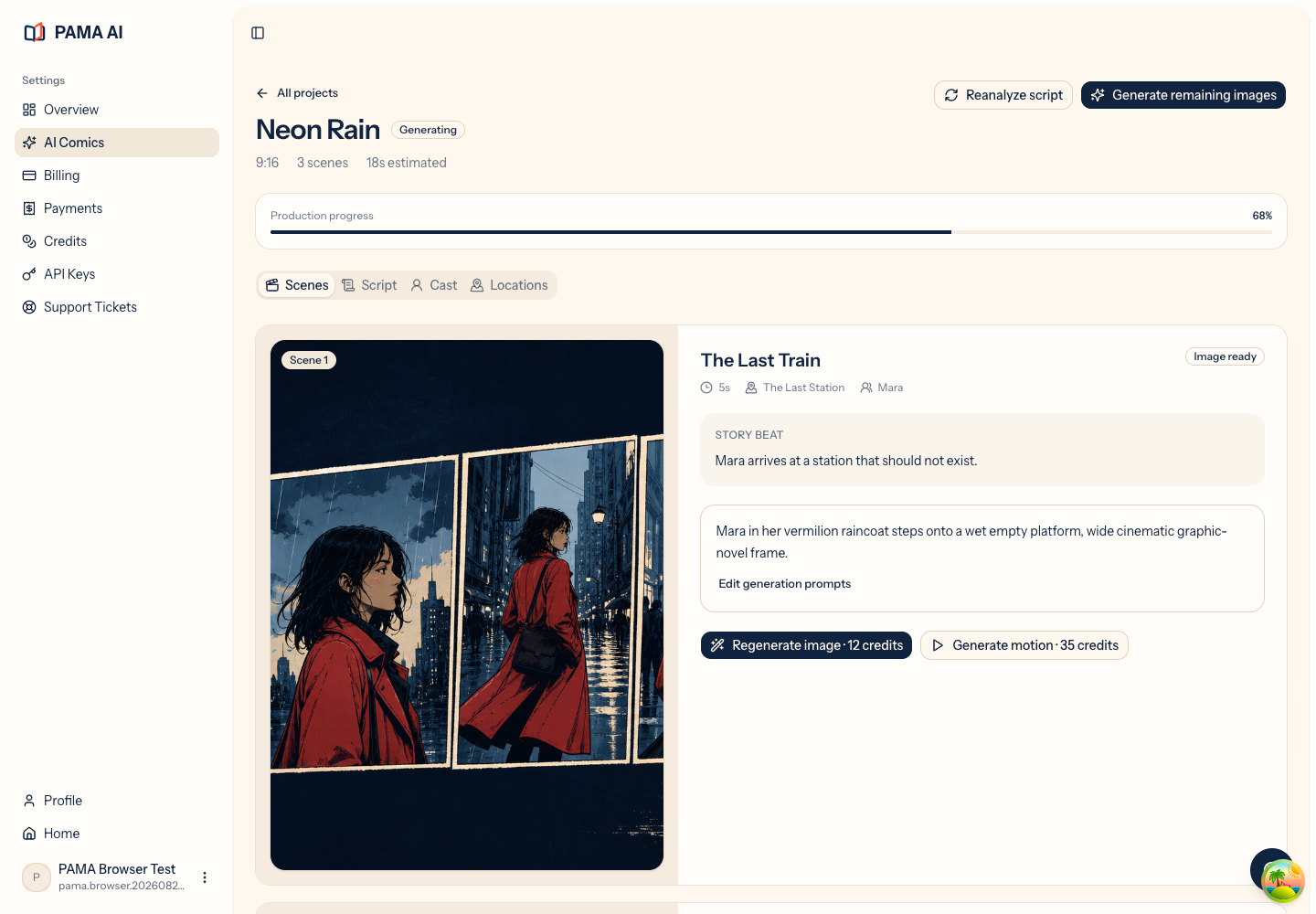
Real PAMA product-test workbench capture from August 2026. This test sequence shows how a generated frame sits beside its story beat and per-scene actions. The current Studio layout may differ.
The workbench screenshot is useful because it shows the core experience rather than just the marketing promise. A creator can inspect one illustrated frame next to the underlying story direction, then choose a targeted image or motion action. The scene-level controls are a stronger fit for iterative storytelling than repeatedly pasting the whole plot into an unrelated text-to-video box.
We also inspected an earlier product-test shot editor. It displayed a scene list, a canvas preview, and fields for the visual, negative, and motion prompts. These controls make the production decisions visible, though they also mean there is more to learn than in a one-click generator.
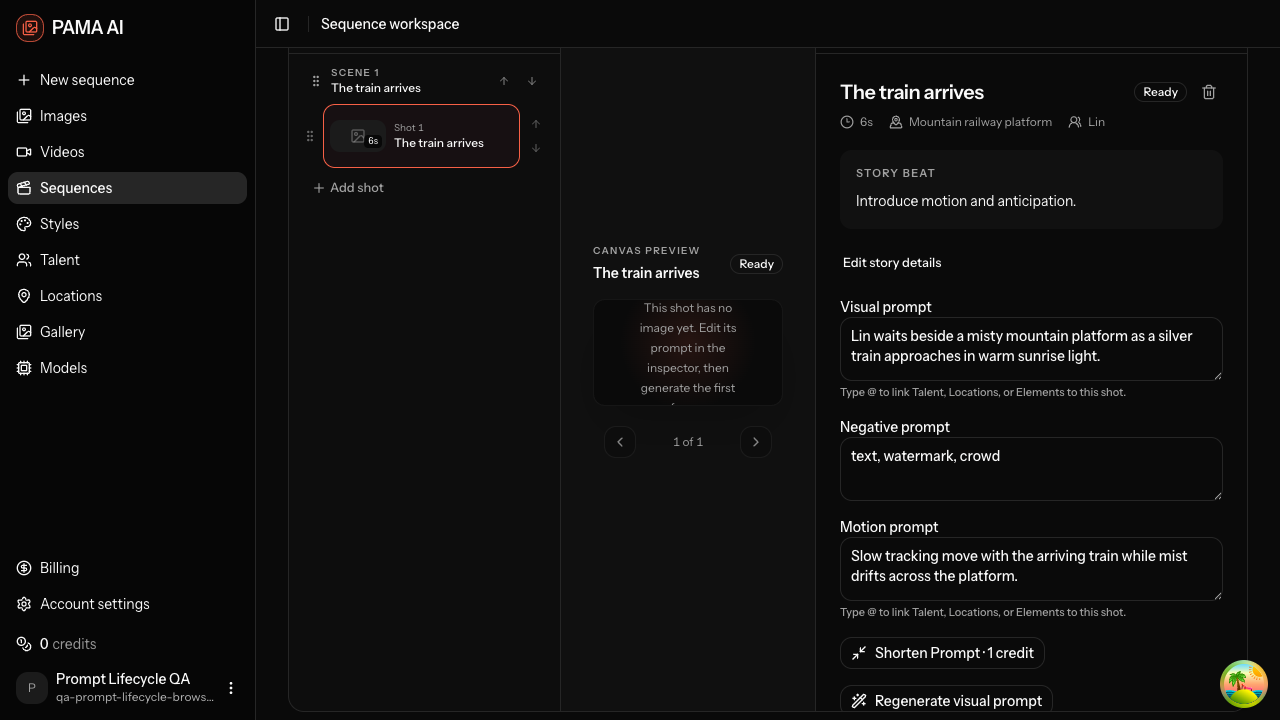
Real PAMA product-test editor capture from August 2026. The current interface has since been redesigned; the screenshot documents the editable, per-shot workflow rather than the exact present-day appearance.
Where PAMA AI is strongest
Continuity across a sequence
PAMA's public workflow places character appearance, wardrobe, personality, and recurring locations in reusable project context. That is a sensible response to a common comic-making problem: the character who looks right in one image may look different in the next. The product gives creators a place to define continuity and review shots. We have not independently measured how consistently every available image model obeys those definitions, so treat this as a workflow strength rather than a guaranteed visual outcome.
Editable storyboard decisions
The shot-level view makes story beats, visual prompts, and motion prompts explicit. This is useful when scene two needs a different camera angle, or when one frame fails but the rest of the sequence is acceptable. PAMA's public documentation and interface describe individual generation and retry controls. The value is in retaining the script and project context while changing a particular shot.
A connected path to motion
PAMA positions motion as a follow-on step from a chosen storyboard frame. This gives the creator a visual anchor before spending credits on animation. It is a different starting point from asking a video model to interpret a long paragraph from scratch. The Studio also has a separate AI Video area for standalone clips, so the product is not limited to comics.
Visible production choices
The signed-in Studio shows custom production settings, visual style options, and model-related controls. The public site states that creators can choose generation models, edit prompts, retry scenes, and track credit use. Those controls are valuable to users who want to manage a project, but they demand more decisions than a minimal prompt interface.
Limitations and things to check before paying
The workflow takes attention. PAMA works best when you are willing to review script analysis, character definitions, frames, and motion shot by shot. If you only need a fast standalone video, the additional structure may feel heavy.
A good plan does not guarantee a good export. AI image and video results can vary by model, prompt, and source frame. Our review did not run a new paid sequence to completion, so we cannot promise that every script will produce consistent characters or a finished movie on the first attempt. Test a short sequence before committing to a larger project.
Credits are a production budget, not a flat per-film price. The public pricing page says generation charges vary by model and settings. Text tools reserve credits and settle actual usage. A creator should inspect the specific image, motion, audio, and export costs shown in Studio before starting a multi-scene job.
Interface changes are ongoing. The archived workbench images in this article document actual product use, but the live Studio looked different on our September 2026 visit. Use the current PAMA Studio to confirm the exact controls available to your account.
PAMA AI pricing in September 2026
On September 27, 2026, PAMA's pricing page displayed monthly plans starting at $29 for 5,800 credits. The other displayed one-unit monthly tiers were Pro at $59 for 12,980 credits, Studio at $199 for 47,760 credits, and Enterprise at $999 for 279,720 credits. The page also advertised one-time annual credit packs at a 50% discount to 12 monthly payments, with no automatic renewal. It said credits do not expire. These are observed public prices, not a quote for a finished comic; verify the live page before purchasing.
| Question | What we found |
|---|---|
| How is usage charged? | By credits; generation cost varies by model and settings. |
| Is there one fixed price per film? | No fixed per-film price was published on the pricing page we checked. |
| Is there a permanent free plan? | We did not see one listed among the public monthly tiers. |
| Can I price a project in advance? | Check the current Studio controls for each generation step and allow room for revisions. |
The homepage and Studio showed a first-film offer in the interface, but our signed-in account could not select it during inspection. We therefore do not count that offer as an available free trial or quote it as a universal price.
PAMA AI vs Tool.Video: which should you use?
Tool.Video is the publisher of this article, so this section has a commercial relationship that readers should consider. The two products overlap in AI video creation but emphasize different jobs. PAMA's primary strength is managing a story across scenes with continuity references and storyboard control. Tool.Video's AI video generator is better aligned with trying a video generation model for a direct clip; the site also has separate image, music, and editing tools. We have not run a controlled output-quality or cost comparison between the two.
| Need | Better starting point | Why |
|---|---|---|
| Develop recurring characters and locations across scenes | PAMA AI | Its comic project keeps story, cast, locations, and shots together. |
| Revise one storyboard frame before animation | PAMA AI | It exposes scene-level prompts and image-to-motion actions. |
| Try a standalone AI video prompt or model | Tool.Video or PAMA's AI Video area | Both offer a direct video path; compare the live model list and price for your chosen settings. |
| Use separate video and image utilities | Tool.Video | Its site organizes generation and editing as individual tools. |
Final verdict
PAMA AI is most compelling as an AI comic production workspace, especially for creators making sequences in which the same people and places must appear more than once. Its real interface exposes script planning, editable shot direction, storyboard frames, and motion controls in one project. The trade-off is a more hands-on process and a variable credit budget.
Start with a short script, review the scene plan, make one or two frames, and check the cost and consistency before producing a full sequence. If the goal is simply to test a single AI video idea, a direct generator may be the quicker first stop.
Sources and scope: PAMA AI homepage, PAMA pricing, PAMA Studio, and our dated product-interface captures above. Public product descriptions are identified as such; screenshot observations are separate from untested output claims.